
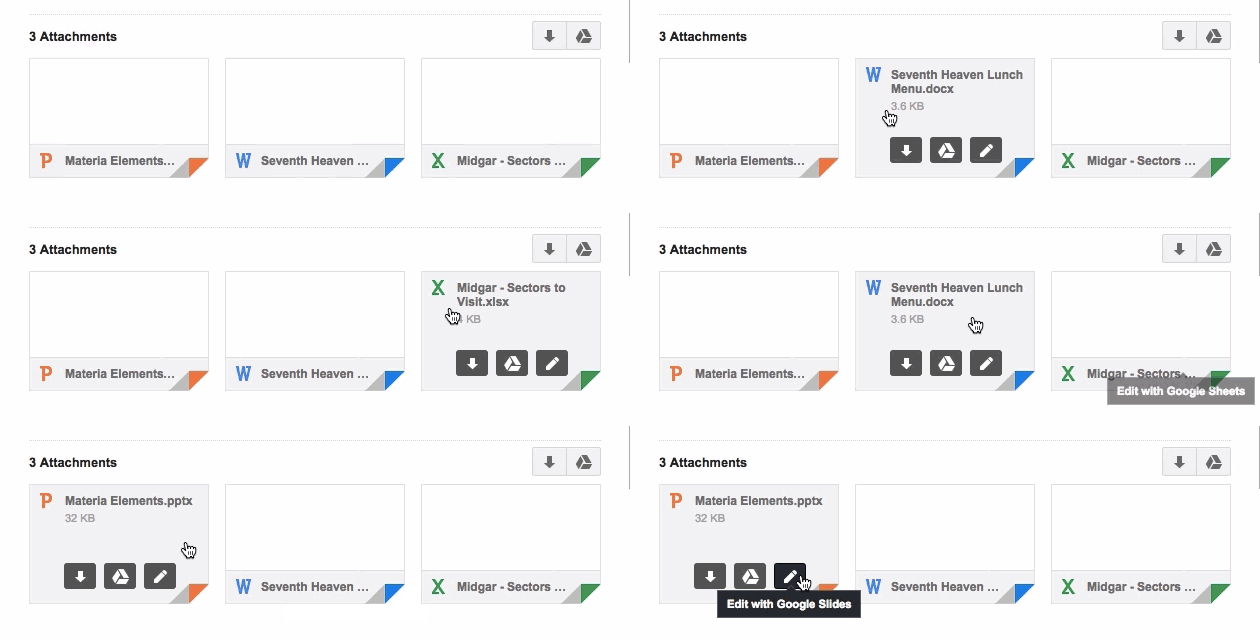
 Google 今天公布了一项有关 Gmail 的新功能,以后 Gmail 用户可以直接在收件箱中对附件文件进行编辑,并实时将更改同步储存在 Google Drive 中。
根据 Google Drive 的介绍,点击附件的“编辑”图标,Office 文件就会自动转换成对应的 Google 文件格式。比如 office 文档(dot)对应的 Google Docs,Excel 等表格类的对应转化为 Google Sheets,PPT 类型的则会转换成 Google Slides。另外,如果不想转化为 Google 的格式,用户还可以选择安装 Chrome 扩展程序: http://goo.gl/FgMfk9
VentureBeat 的报道称,这次的更新表明 Google 要开始将其各种服务“绑的更紧”,这样一来,如果用户使用的是 Google 的邮箱服务,那 Google Drive 和 Google Doc 等应该成为首选,而不是微软的 Microsoft Office 和 OneDrive。
题图来自 pammarketingnut

插图来自 Google
评论0